Видео
Wan2GP
A lean, fast video generator tuned to squeeze big results out of modest GPUs.
★ 9,9 тыс. звёздCustom (WanGP Community 2.0)
Смотреть руководство →Maestro — проект с открытым исходным кодом из категории «Видео» от Blizaine (Blizaine/Maestro на GitHub). У него 686 звёзд на GitHub и 120 форков, он распространяется по лицензии Custom (non-commercial) и последний раз обновлялся на GitHub 28 сентября 2026.
A one-click local studio that directs, shoots, and edits AI video for you.
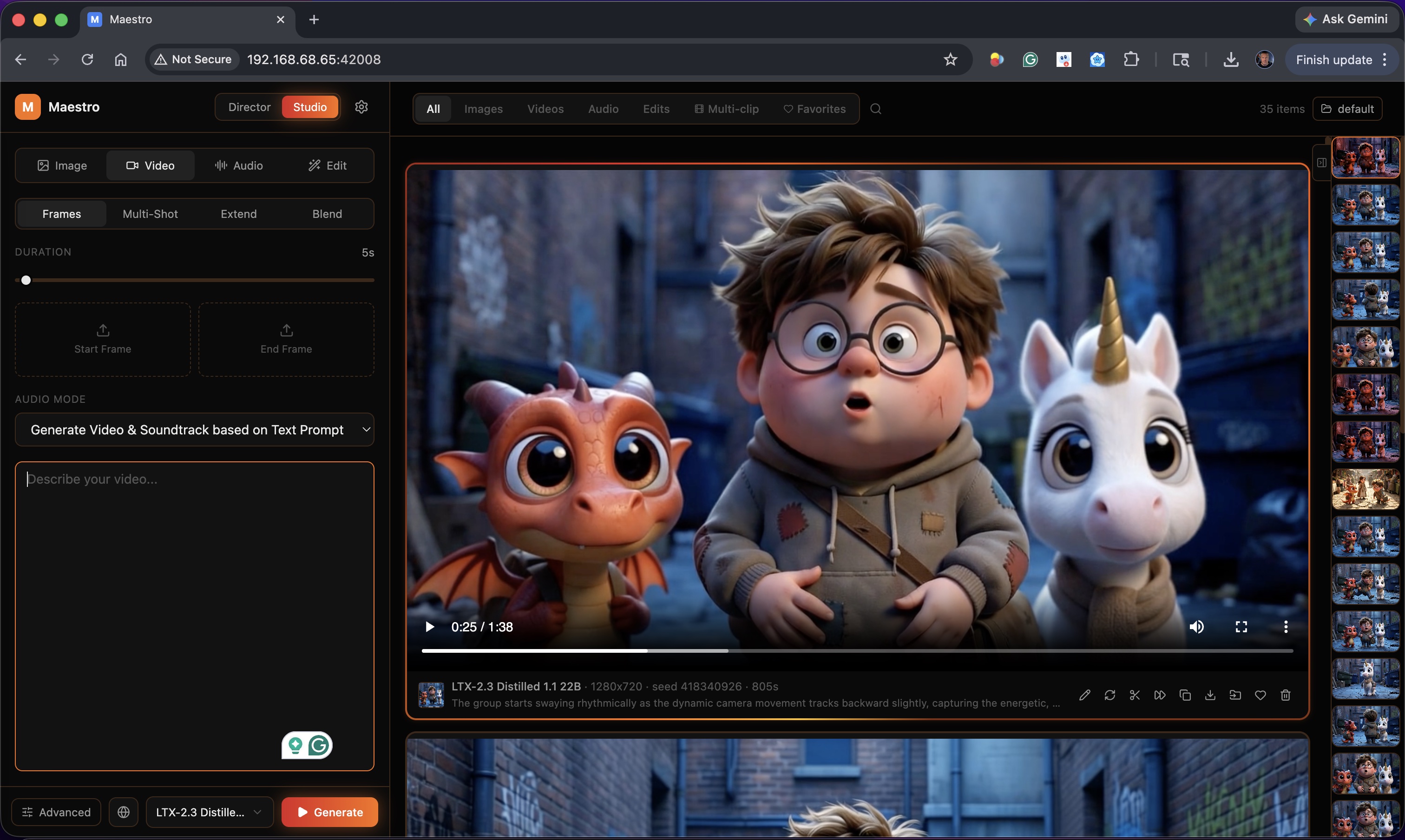
Get Pinokio, open its Discover tab, search for “Maestro” and hit Install. The launcher builds a hardware-matched Python environment and the app UI automatically — allow 10 to 20 minutes.
Director mode takes a song or story and plans the whole production for you. Studio mode gives you direct control over models, prompts, and parameters.
The pipeline creates still keyframes first so you can approve the look, then renders each clip — with beat-aware timing for music videos.
Re-roll any single clip without redoing the whole run, apply prompt polish passes, combine everything, and export your finished piece.
An LLM writes the screenplay, plans shots, and times cuts to your music's BPM, sections, and energy — with named, consistent characters.
Manual control over video, image, and audio models, with multi-clip pipelines and shared LoRAs for long-form work.
Detects your GPU, VRAM, and RAM on first launch and picks the right performance profile — no settings guesswork.
Search, filter, and one-click install LoRAs inside the app, with update badges and AI-written prompt guides per LoRA.
If a generation runs out of VRAM, a banner offers a one-click fix so you can lower headroom and resume instead of crashing.
Retake a section with a new prompt, outpaint frames in any direction, or modify elements in existing footage.
Download and install Pinokio from pinokio.computer — it is the one-click launcher Maestro ships through.
In Pinokio, open the Discover tab, search for “Maestro”, and click Install.
When the install finishes, click Start. Your first generation in each model triggers a one-time weight download, then everything runs locally.
The app itself is free to download and use, and there is no subscription. Do note it ships under a custom non-commercial evaluation license (based on the WanGP license), so read the LICENSE file in the repo before any commercial use.
A Windows or Linux PC with an NVIDIA GPU is the supported setup. On first launch Maestro detects your GPU, VRAM, and RAM and tunes itself accordingly. macOS support is in development.
Only for setup and the first model-weight download. All generation happens locally on your machine — your prompts and files never leave it.
Maestro is built on top of the WanGP/Wan2GP pipeline and adds a full studio interface, Director mode, LoRA management, and editing tools around it.
Yes — the built-in CivitAI browser handles discovery and one-click installs, and you can point it at your own checkpoints and LoRAs too.
A lean, fast video generator tuned to squeeze big results out of modest GPUs.
A self-hosted creative suite with 600+ image and video models behind one clean interface.
The node-graph powerhouse for precise, professional AI image and video generation.
The all-in-one local AI studio for your desktop: chat, image and video generation and a coding agent in one free, open source app. Windows and Linux. No Dock…
Netflix-level video subtitles and dubbing - a one-click AI subtitle team
Infinite-canvas AI video studio — script to distribution in one workflow.
Другие проекты из категории «Видео» с наибольшим числом звёзд в каталоге LibreAI — реалистичный список альтернатив, если Maestro вам не подходит.
A feature-rich command-line audio/video downloader
real time face swap and one-click video deepfake with only a single image
OBS Studio - Free and open source software for live streaming and screen recording
Mirror of https://git.ffmpeg.org/ffmpeg.git
World's first open-source, agentic video production system. 12 production pipelines, 100+ tools, 700+ agent skill and production-knowledge files. Turn your A…
Соседние проекты из категории «Видео» в каталоге, ближайшие по числу звёзд к Maestro — продолжайте изучать полку по обе стороны от него.
Turn newsletters into daily YouTube videos — motion graphics plus TTS.
A floating always-on-top teleprompter for macOS — perfect for quick videos.
Open diffusion models for both video and image generation.
AI video summarizer and knowledge base for Bilibili, YouTube and local videos.
Text-to-video that keeps identities consistent across every frame.
Evaluate text-to-video models with VQAScore-based metrics.
Бесплатно и открыто — забирайте исходный код, ставьте звезду репозиторию и начинайте создавать.